At the counter
Keep the queue moving.
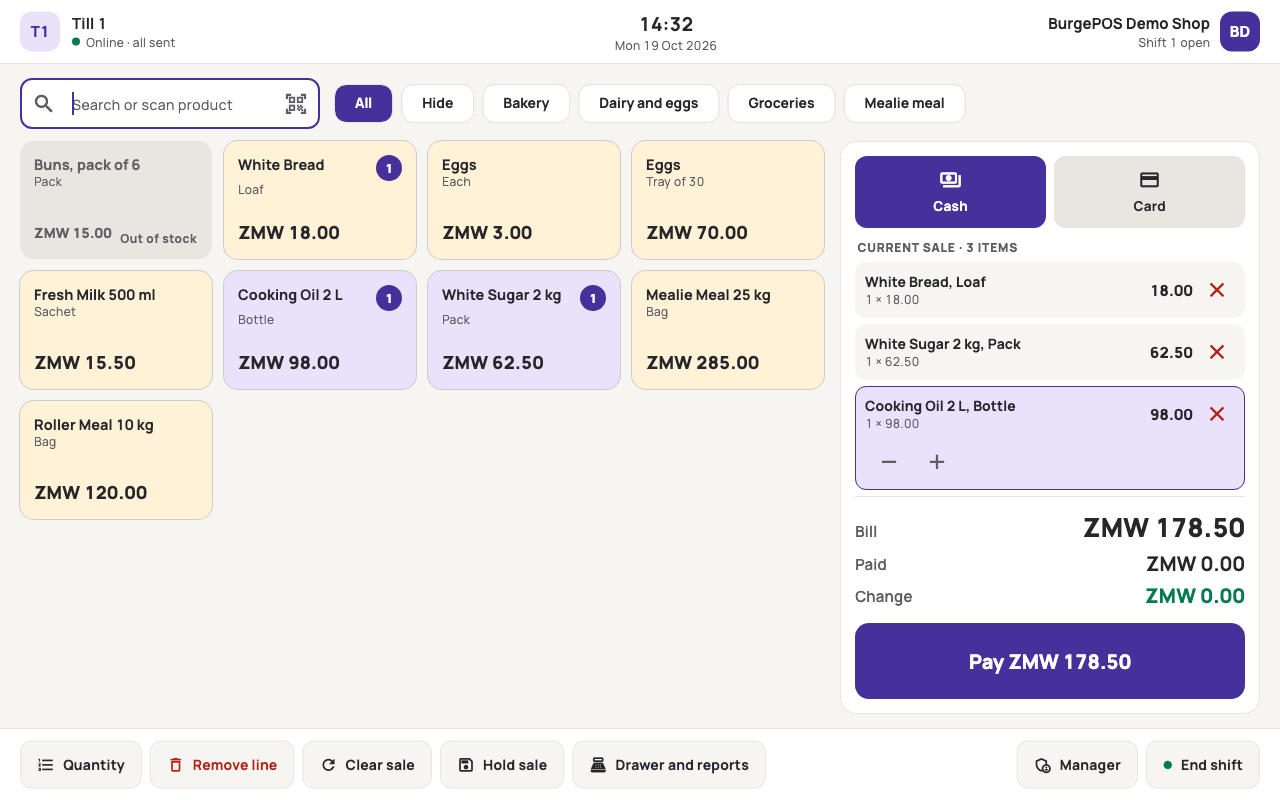
Scan or search. Build the basket. Take payment. A focused Windows till keeps the next sale close at hand.

A Windows till and web dashboard for Zambian retailers
to manage sales, stock and shifts.
A till for the people serving.
A dashboard for the people looking ahead.
At the counter
Scan or search. Build the basket. Take payment. A focused Windows till keeps the next sale close at hand.
When the till syncs
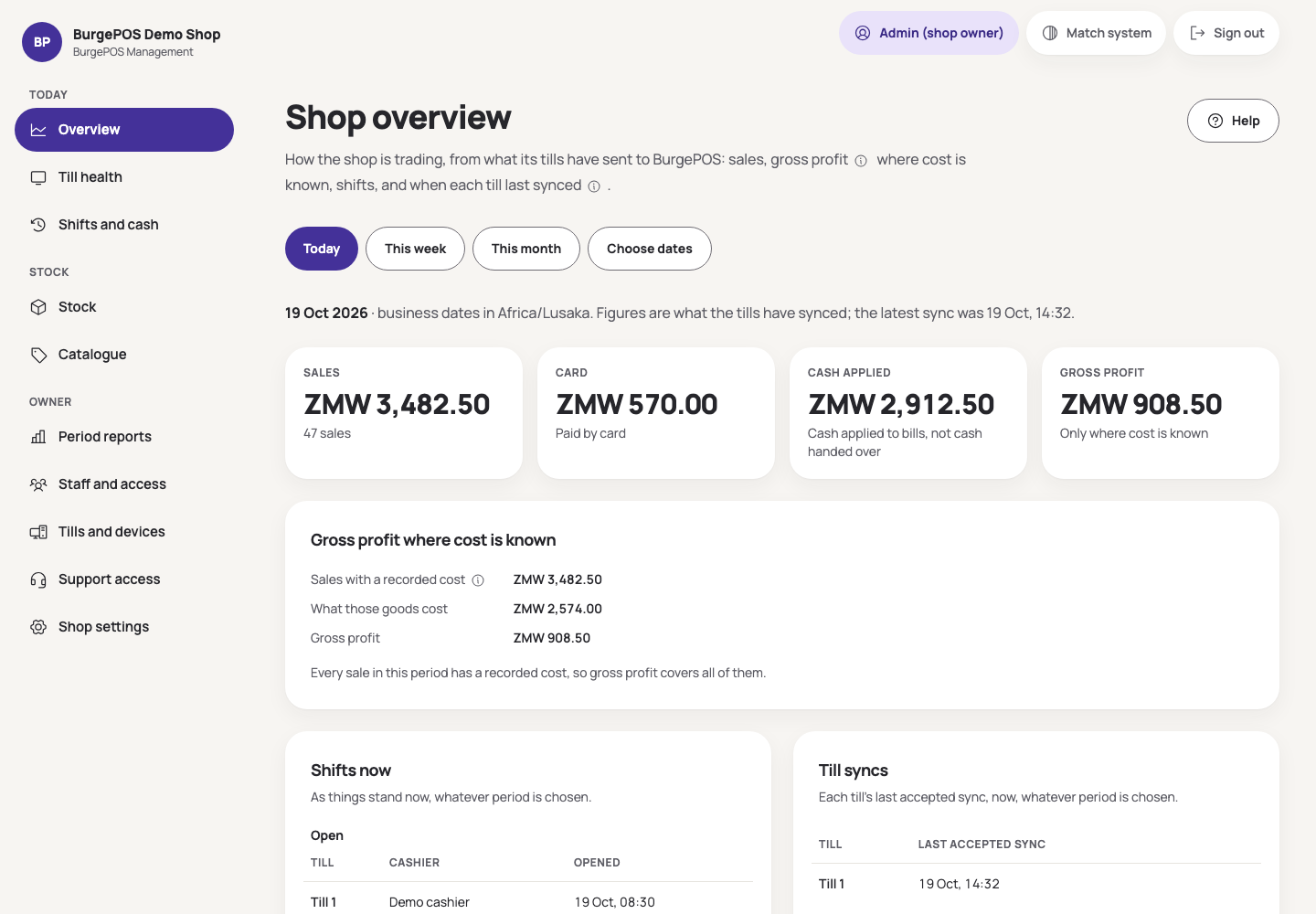
The till records permitted sales locally. When it connects and syncs, the web dashboard catches up. You can see when the till last sent its figures.
For the owner
Open your web dashboard to check sales, stock and shifts. Get a clearer picture of the shop, wherever you are.
Check stock on hand. See which products are running low. Start the next conversation with the figures in front of you.
Request a demo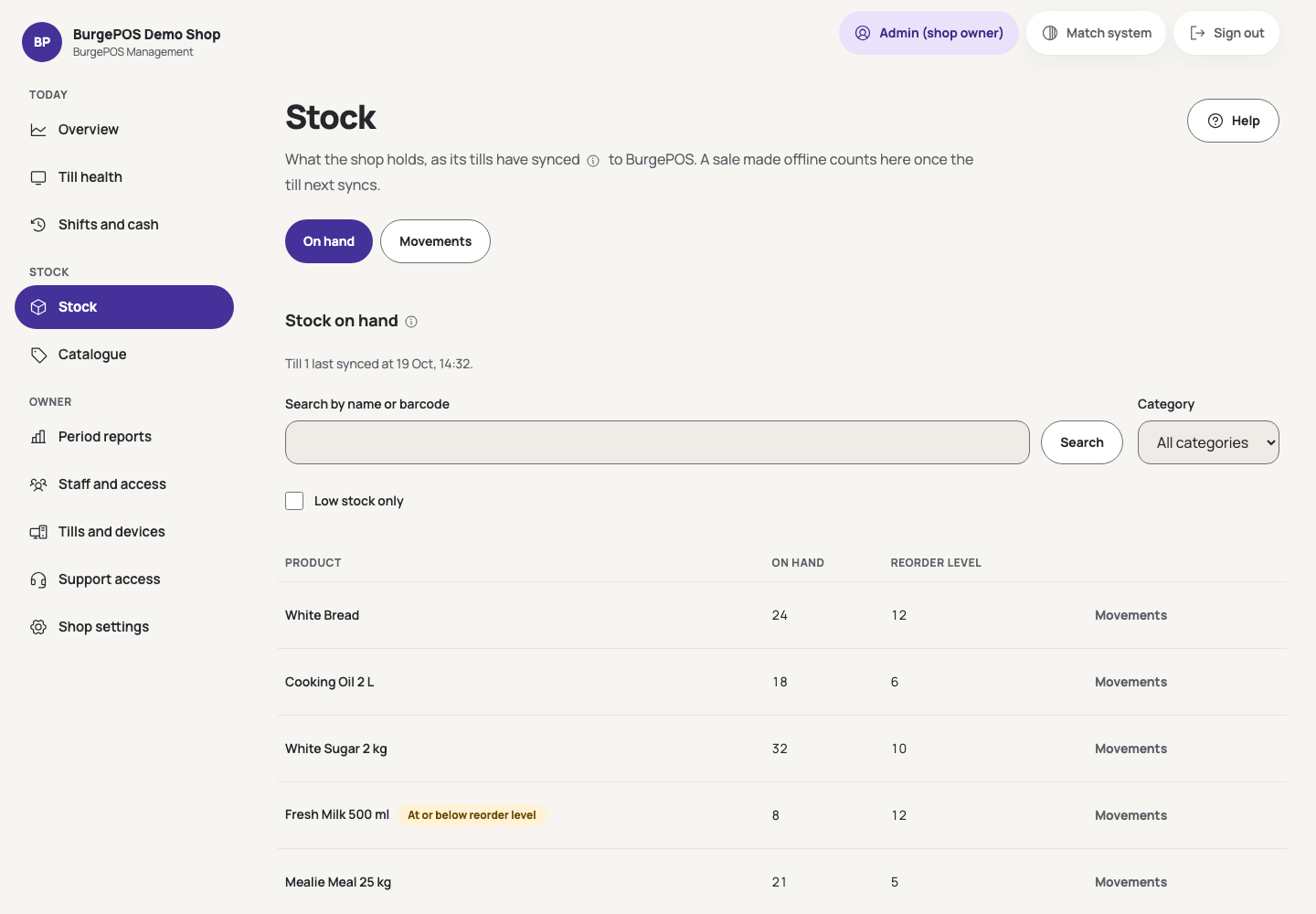
Look through the movements behind the stock the till has reported.
Review closed shifts and their reports once they reach the backend.
Pricing & setup
Request a demo to discuss pricing and setup for your shop.
We’ll walk through the till and dashboard, understand your equipment, and explain what getting started involves.
Request a demoThe counter runs on a Windows till. Owners and managers use the web dashboard from a browser. We assess your shop's equipment and setup with you.
Permitted cash and externally processed card sales can continue within the till's valid offline authority. The web dashboard updates after the till syncs. Credit, repayments and completed-sale refunds or voids need a backend connection.
BurgePOS v1 supports one till per shop. Coordinated multi-till and multi-branch operation are future work.
Card payments are processed on your separate payment terminal. BurgePOS records the external payment outcome and reference.
Request a demo and tell us about your shop. We'll walk you through the product, discuss pricing and assess the setup with you.
Tell us about your shop.
We’ll respond within two business days.
Monday to Friday, excluding Zambian public holidays.
hello@burgetechnologies.com